 Keet Support
Blocked Members 🚫
Go to 'Profile' / 'Settings' / 'Privacy and Security' / 'Blocked members' to review everyone you've blocked and unblock a member if you change your mind.
How do I see the members I've blocked?
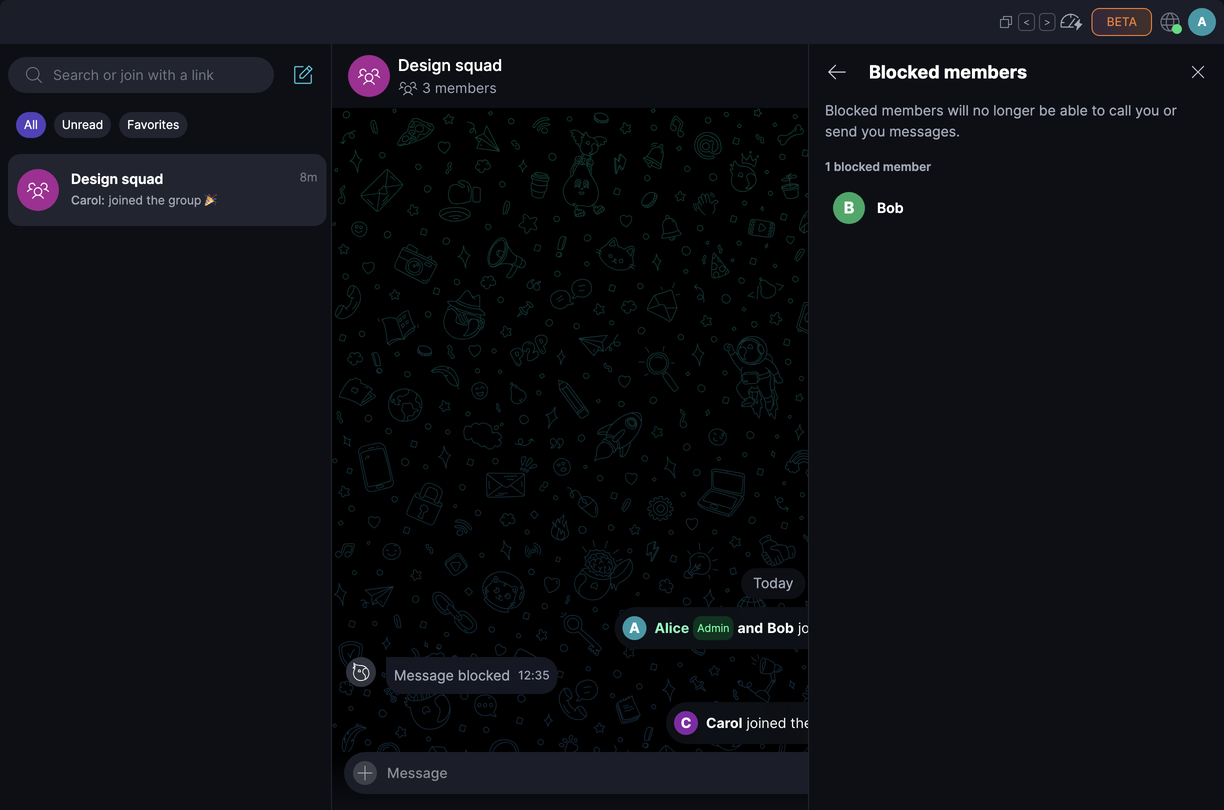
Click your avatar to open 'Profile', then go to 'Settings' / 'Privacy and Security' and select 'Blocked members':
Go to 'Profile' / 'Settings' / 'Privacy and Security' and tap 'Blocked members':
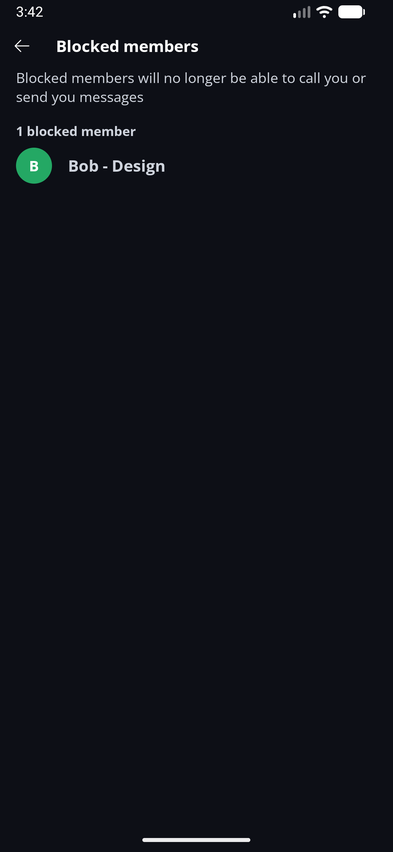
The list shows each blocked member with their avatar and name, and the number of blocked members above it. If a member has no avatar, Keet shows a letter placeholder instead. If you've given a blocked contact an alias, mobile shows the alias and desktop shows their public display name.
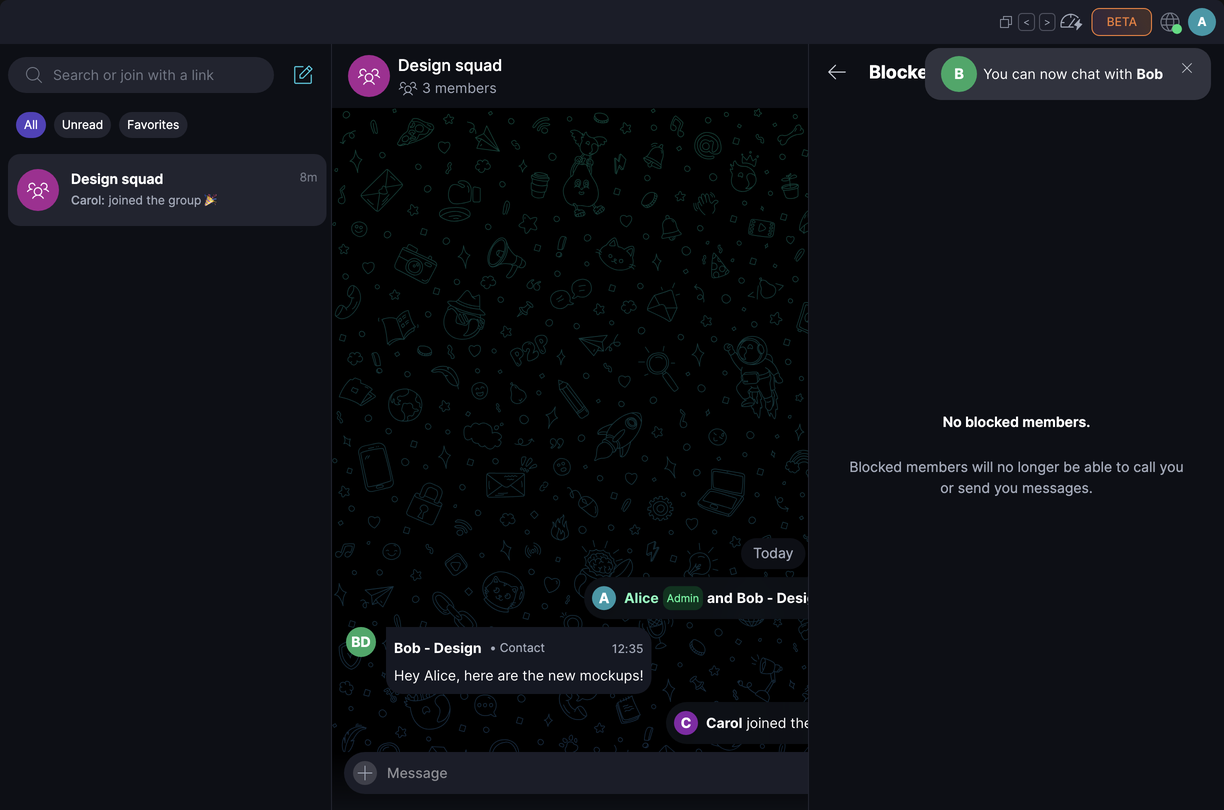
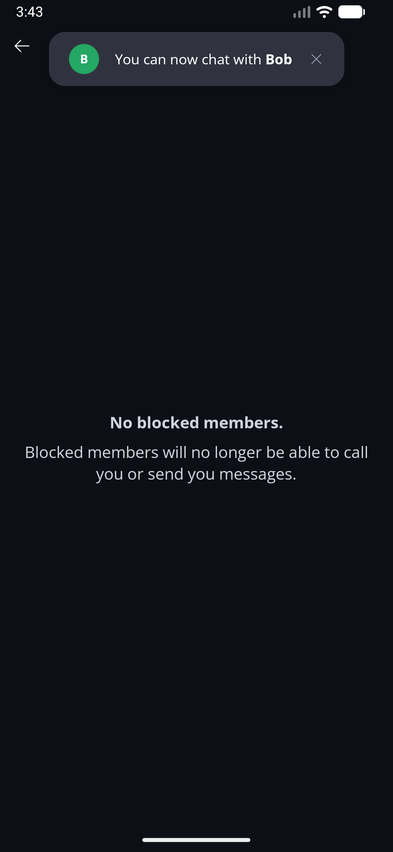
The list includes everyone you've blocked, whether or not they're in your Contact Book. If you haven't blocked anyone, the screen shows 'No blocked members.'
🚫 Blocked members can no longer call you or send you messages. They aren't notified when you block them, when you view this list, or when you unblock them.
How do I unblock a member?
-
Open 'Blocked members' and select the member you want to unblock.
-
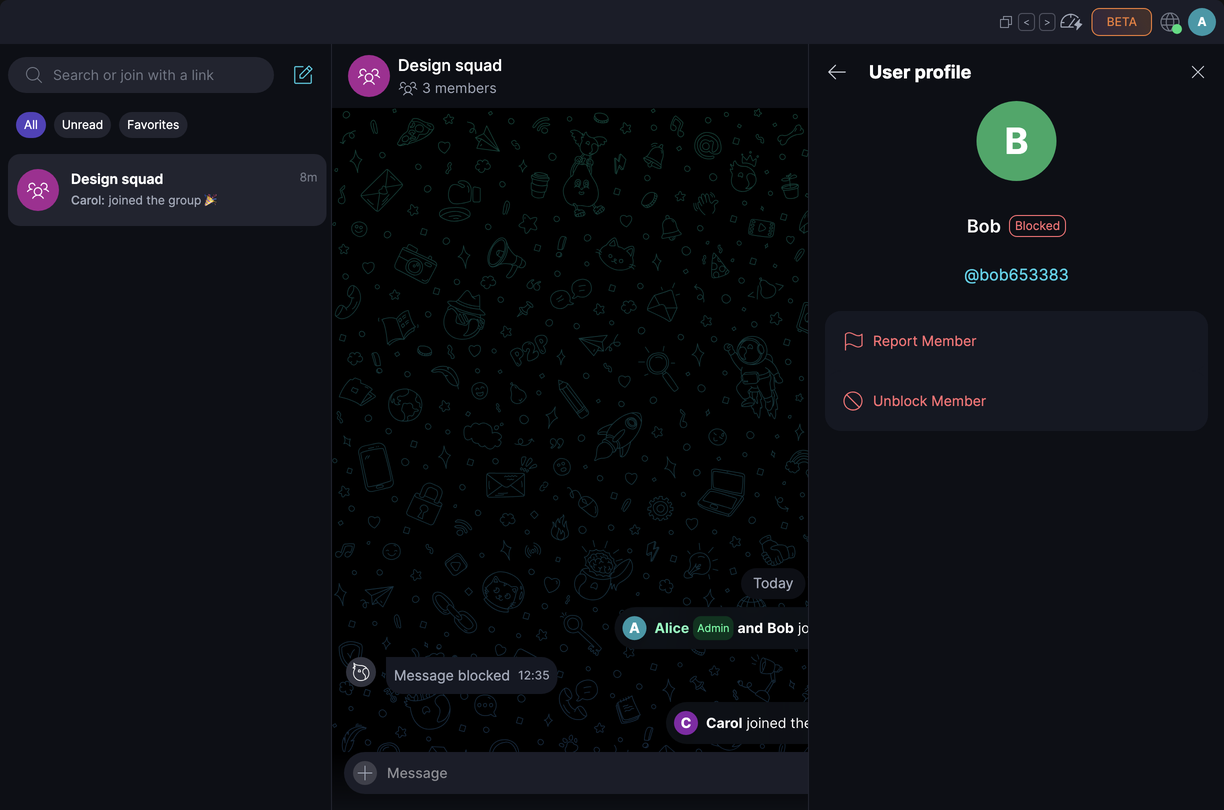
On their 'User profile', select 'Unblock Member':
-
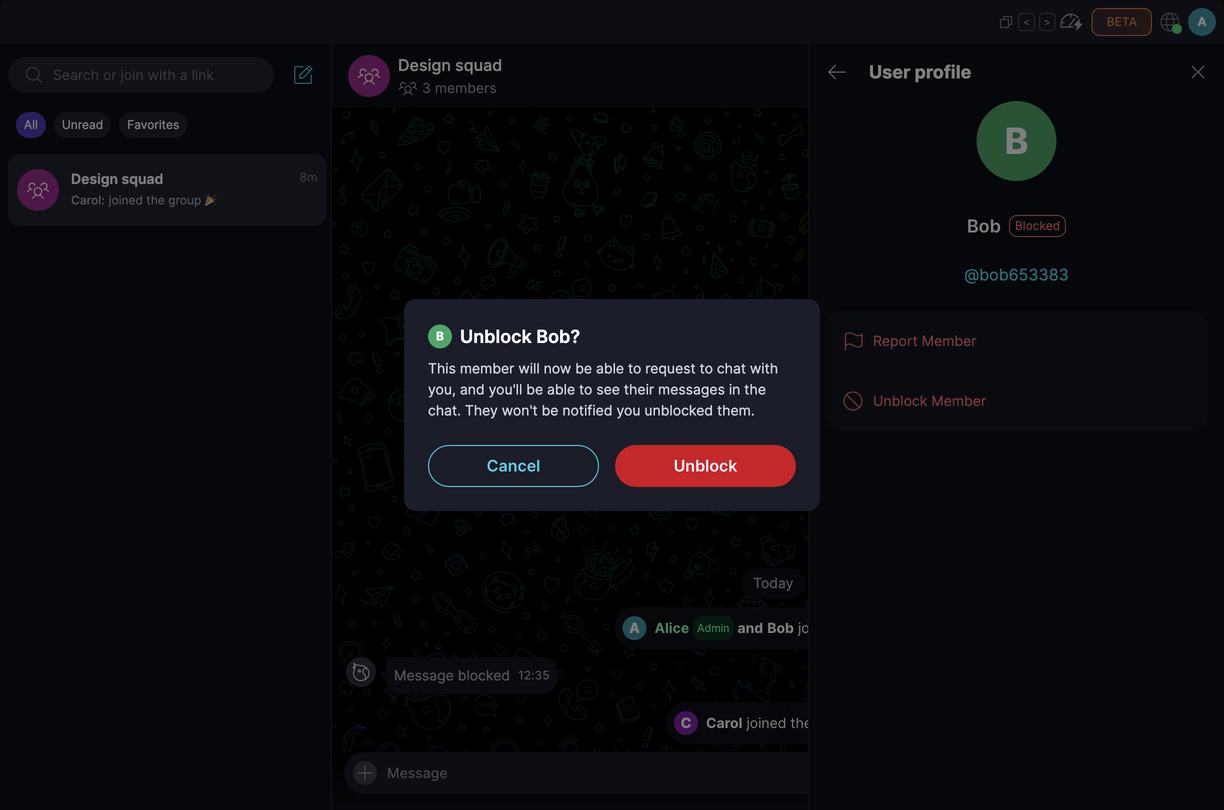
Keet asks you to confirm. Select 'Unblock':
-
Open 'Blocked members' and tap the member you want to unblock.
-
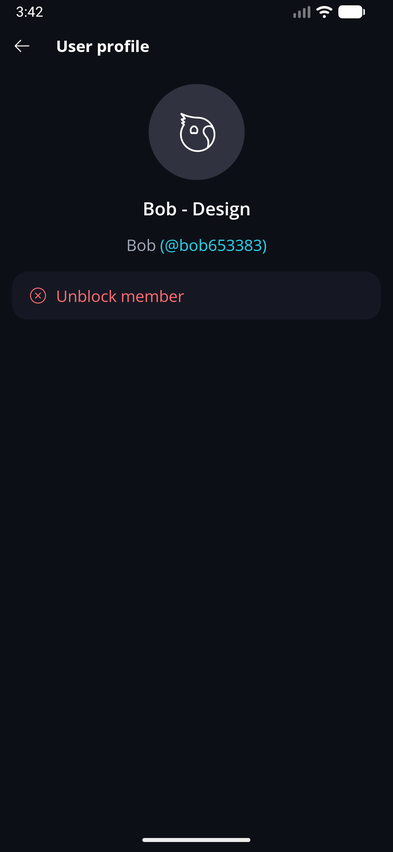
On their 'User profile', tap 'Unblock member':
-
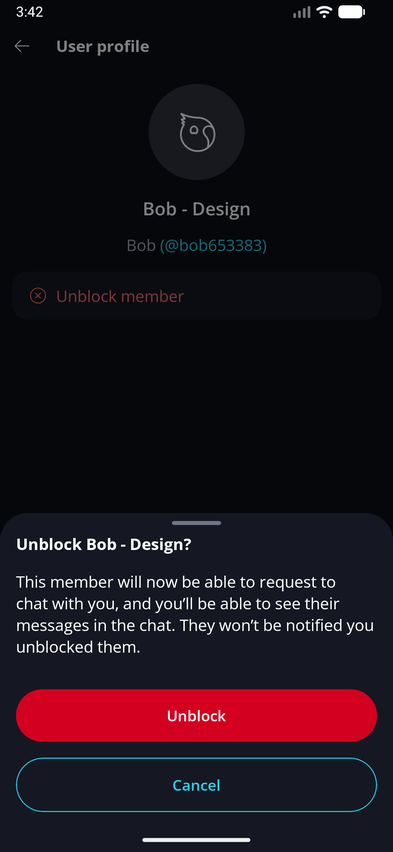
Keet asks you to confirm. Tap 'Unblock':
Keet shows 'You can now chat with' followed by their name and takes you back to the list, where the member no longer appears. The list updates every time you block or unblock someone.
If you select 'Cancel' in the confirmation, nothing changes - the member stays blocked and stays in the list.
You can also unblock someone from a group's member list: open their profile and select 'Unblock Member' (desktop) or 'Unblock member' (mobile).
What happens when I unblock someone?
- They can send you a chat request again, and you'll see their messages in the chat again.
- They aren't notified that you unblocked them.
- Unblocking doesn't start a chat, send a request, or add them to your Contact Book. If they were already one of your contacts, they stay saved, with their alias if you set one.
Looking for how to block someone? See How do I block someone on Keet?